The Social Media Content Calendar Framework for Agencies Managing Multiple Clients
A practical framework for building a social media content calendar for agencies: how far to plan ahead, how to structure approvals so clients sign off in one pass, and how to fit 2026 posting cadence into a plan that still leaves room to react.
By Kaitlyn Bricker · Updated October 16, 2026 · Agencies, Content Strategy, Workflow
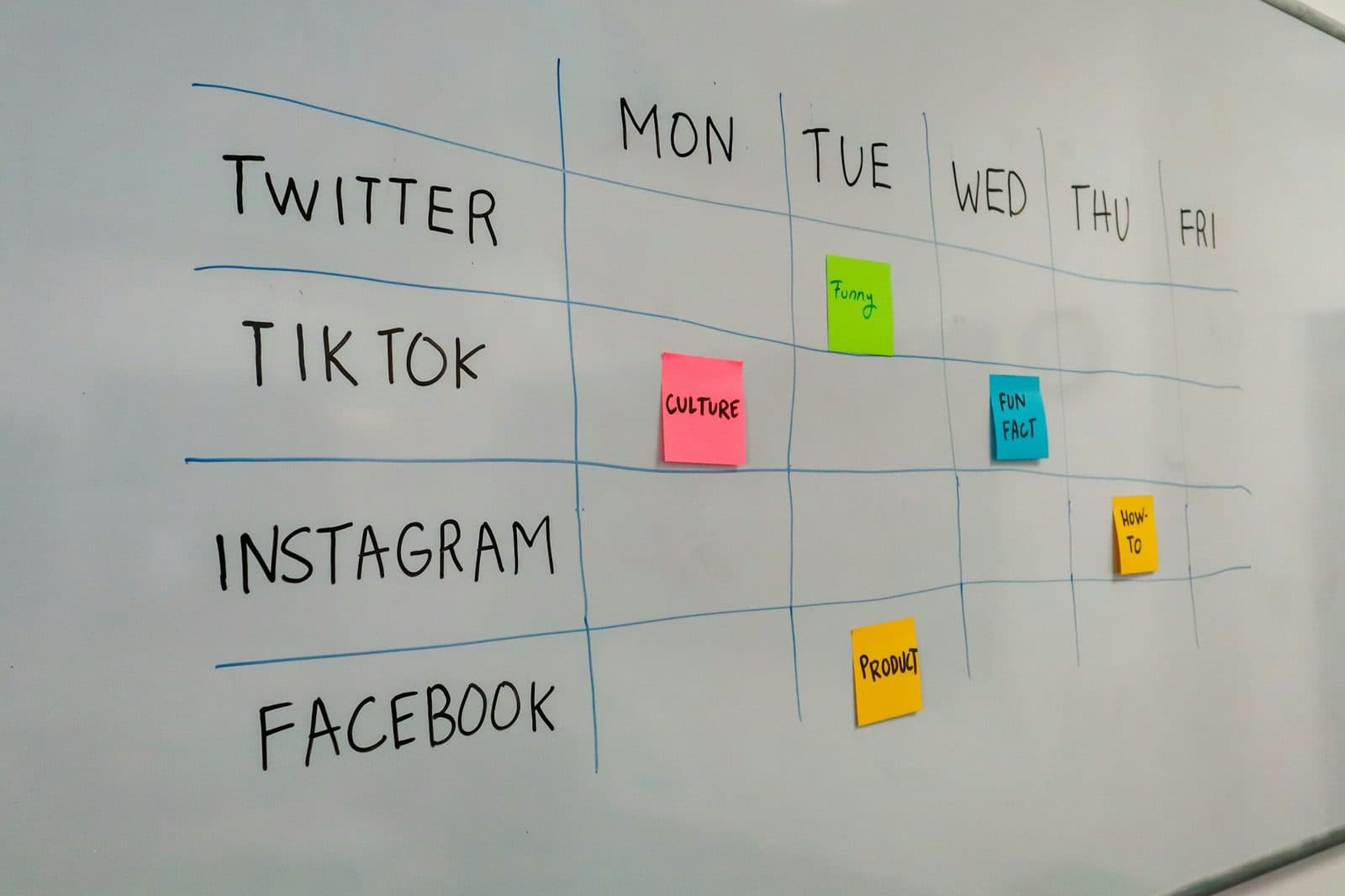
Most agencies don't have a content calendar problem. They have an approval problem wearing a content calendar costume.
I've watched teams build genuinely good social media content calendars for agency clients, color-coded, platform-tagged, campaign-tied, and still miss deadlines every single week. The calendar isn't the bottleneck. What happens to a post between "drafted" and "approved" is. If you're building or rebuilding your agency's calendar system right now, that distinction should drive almost every decision below, because a calendar that looks organized but still routes through email threads and Slack pings will fail the same way the messy spreadsheet did.
Why the calendar itself is rarely the real problem
Ask an account manager what's wrong with their content calendar and you'll usually hear about the tool: too many tabs, no client visibility, versions getting overwritten. Those are real annoyances. They're not why a campaign goes out three days late.
The actual failure mode is almost always ownership. A post gets sent for client review, and "the client" turns out to be four people: the marketing manager, the founder, someone in legal who only shows up sporadically, and whoever answers Slack fastest that week. Feedback comes back contradictory. Nobody has explicitly signed up to be the final decision-maker, so the agency ends up mediating an internal client disagreement instead of publishing content. That's not a calendar failure. It's a missing decision-rights agreement, and no amount of Notion formatting fixes it.
So before touching the calendar structure, get one thing in writing with every client: who has final sign-off, and what happens if they don't respond by a stated deadline (defaults to "approved as drafted" is the only version of this that actually holds up, and you should say so explicitly in the onboarding doc, not imply it).
How far ahead should an agency actually plan?
Two weeks is the floor, not the target. Working two weeks out gives you enough runway to catch a bad brief before it becomes a bad post, but it doesn't give you room to build anything more ambitious than "keep the account alive." For anything that looks like a campaign, an event tie-in, a product launch, a seasonal push, plan a full quarter ahead at the concept level, then get specific four to six weeks out. Q4 is the clearest case; the holiday playbook walks through it week by week.
The reason quarterly planning matters more in 2026 than it did a few years ago comes down to how the platforms themselves changed. Instagram's algorithm now leans harder on early engagement in the first hour after posting, which means a post that goes out without a plan for who's watching it in that window underperforms one that was scheduled with intent. LinkedIn went further this year: its engineering team confirmed the feed ranking system now maps a poster's professional history against the topic of each individual post, an "expert-knowledge score" that rewards a narrow, consistent lane and punishes accounts that wander. A calendar built week-by-week, reactively, makes it almost impossible to hold that kind of topical consistency. A calendar built a quarter out, even loosely, makes it the default.
None of this means every slot needs to be locked a quarter in advance. It means the themes and cadence should be set that far out, with the specific posts filled in closer to publish date.
Structuring the calendar so clients approve in one pass
The single highest-leverage change most agencies can make is batching review instead of drip-feeding it. Send a client one post at a time and you'll get one round of feedback per post, spread across a week of interruptions, each one competing with whatever else is on their plate that day. Send them a full week or month of content in one sitting, laid out the way it'll actually look live, and you get one focused review session instead of a dozen scattered ones. Clients also, in practice, approve batches faster than singles, because seeing the full arc of a week makes individual posts easier to judge on their own.
A calendar built for one-pass approval needs three things a plain spreadsheet doesn't give you by default:
A live preview, not a description. "IG carousel about our new pricing" tells a client nothing. Seeing the actual carousel, rendered the way it posts, is what gets a real yes or a specific, useful no.
A no-login review link. Every extra step between "client opens their email" and "client leaves feedback" is a day of delay. If approval requires logging into your scheduling tool, expect a chunk of clients to just... not, until you follow up. A link that opens straight to the content, with two options (approve, or comment directly on the post) removes the excuse.
A record of which version was approved. This one gets skipped constantly and it's the source of most "wait, I never approved that" arguments. If a client signs off on an Instagram caption and your team later trims it for a Threads cross-post, that's a new version, and it needs its own sign-off, however minor the edit feels internally. Treat approval as attached to a specific version of a post, not a general blessing on the concept.
Get those three right and most agencies cut their revision cycles roughly in half, not because clients suddenly have more time, but because the friction that used to turn one round of feedback into three disappears.
Where posting cadence actually fits into the plan
Cadence is a planning input, not an afterthought you figure out post by post. For 2026, the range that holds up across most brand accounts is 3 to 5 feed posts and 2 to 4 Reels per week on Instagram, with Stories close to daily, and 1 to 2 posts per day on Facebook Pages, with the second slot reserved for something genuinely timely rather than filler. Those aren't hard rules and I wouldn't build a client strategy off them blindly, but they're a sane default to slot into the calendar before you start layering campaign content on top.
The bigger point: consistency beats volume, and a calendar is what makes consistency possible. An account posting three times a week, every week, without exception, will outperform one that posts ten times one week and goes quiet for two, and the only way to guarantee the first pattern instead of the second is to have the cadence baked into the calendar structure itself, not left to whoever remembers to post that day.
Building in room to react without blowing up the plan
A calendar that's 100% full a month out is actually a liability. Something newsworthy will come up, a platform change, a trend, a client's product news, and if every slot is spoken for, reactive content either doesn't happen or it bumps something that took real effort to plan.
The fix is deliberate slack: leave roughly 10 to 15% of weekly slots unassigned, tagged as "flex" rather than empty. When nothing timely comes up, fill flex slots from a backlog of evergreen content you keep for exactly this purpose. When something does come up, you're not renegotiating the whole week's plan with a client, you're filling a slot that was already built for this.
What actually goes in each calendar entry
A lot of agency calendars fail quietly because the entries themselves are too thin to be useful. "Tuesday: IG post about summer sale" isn't an entry, it's a placeholder that still requires a full round of back-and-forth to become real content. A calendar entry worth the name should carry the caption draft, the asset (or a clear note on who's producing it and by when), the platform-specific format (feed post versus Reel versus Story changes the brief, not just the size), and the approval status as a visible field, not something buried in a comment thread six messages deep.
The format detail matters more than it sounds like it should. A caption written for a Reel needs a hook in the first line because that's what determines whether anyone watches past the first second. A caption written for a static feed post can afford to open slower. Treat every entry as platform-specific from the start instead of writing one caption and reflowing it across formats, and you'll spend less time rewriting after the fact.
Picking the right tool for the job
Spreadsheets and general calendar apps genuinely work early on, when it's one or two clients and a handful of posts a week. They stop working the moment you add multiple channels, multiple reviewers, revision history, and brand guardrails that need enforcing across every client, not just the one you're focused on that day. At that point, the time your team spends managing the system starts to rival the time spent producing content in it, which is exactly backwards.
The switch point isn't a specific client count, it's the moment you notice you're spending more time chasing approval status than writing captions. When that happens, move to a system built for the actual workflow: shared visibility across the team, assignment and approval routing, client-facing links that don't require a login, and scheduling tied directly to the calendar instead of a separate step. This is precisely the gap tools like Inexra are built to close for agencies juggling more than a couple of client accounts, planning and approvals living in the same place the posts actually go out from.
What this looks like six months in
A content calendar that works isn't the one with the prettiest color-coding. It's the one where a client can look at a shared view and know, without asking, what's coming this week, what's still waiting on their sign-off, and what got bumped and why. Get the ownership question answered up front, batch your reviews, build in slack for the inevitable reactive post, and the calendar stops being a source of anxiety and starts being the thing that actually buys your team time back.
FAQ
How far in advance should an agency plan a social media content calendar?
Set themes and cadence a quarter ahead, get specific four to six weeks out, and treat two weeks as the minimum. Campaigns, launches and seasonal pushes need the quarterly view, while individual posts can be filled in closer to the publish date.
What posting cadence should go into a client's content calendar?
A sensible 2026 default is 3 to 5 feed posts and 2 to 4 Reels a week on Instagram with Stories close to daily, and 1 to 2 posts a day on Facebook Pages. Treat those numbers as a starting point, since posting consistently every week matters more than raw volume.
How much of a content calendar should be left open for reactive posts?
Leave roughly 10 to 15 percent of weekly slots unassigned and tagged as flex. Fill them from a backlog of evergreen content when nothing timely comes up, and use them for a trend, a platform change or client news when something does.
What should each entry in a social media content calendar include?
Each calendar entry should carry the caption draft, the asset or a note on who is producing it and by when, the platform-specific format, and the approval status as a visible field. A one-line placeholder like "IG post about summer sale" still needs a full round of back-and-forth before anyone can use it.
When should an agency stop using a spreadsheet for its content calendar?
Move off the spreadsheet when your team spends more time chasing approval status than writing captions. Spreadsheets work for one or two clients, but multiple channels, reviewers, revision history and brand rules across clients call for a planning tool with no-login client review links and scheduling tied to the calendar.